The family calendar your household will actually use.

One shared calendar with a color for every person. Chores, groceries, and dinner everyone can see. A live map of who's home. And when something matters, FamSync rings their phone.

  • Free for up to 4 people
  • No ads, ever
  • iPhone, iOS 17 and up
9:41
Good morning, Reid
Saturday, September 12   76° and clear
TODAY
Your briefing 7:02 AM
76°Clear   H 81°   L 55°
8 AM
9
10
11
12
1 PM
2
3

Four things on today and two to do. Next up is the school run at 7:45. Everyone's free 12 to 3 if the day should hold something else. Dinner is at Nana's.

Swim practice needs a ride home
Read the full briefing
School runKara
DentistReid
Swim practiceMason
Dinner at Nana'sEveryone

Every tab, one household.

These are the real screens. Warm, dark, and quiet enough to check before coffee.

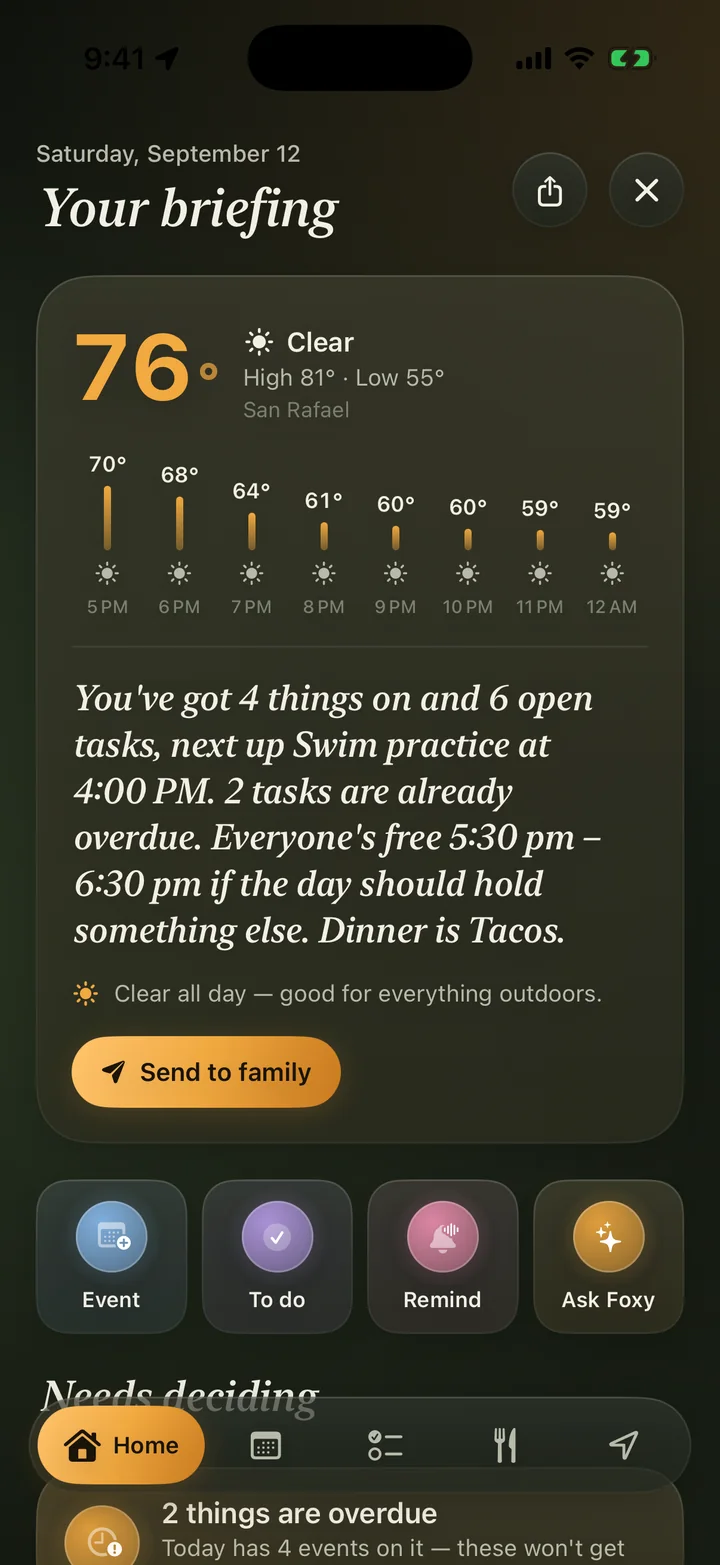
  • Morning briefing screen with weather and the day's summary
    Morning briefing

    The day ahead: events, weather, clashes, and the one thing to handle first.

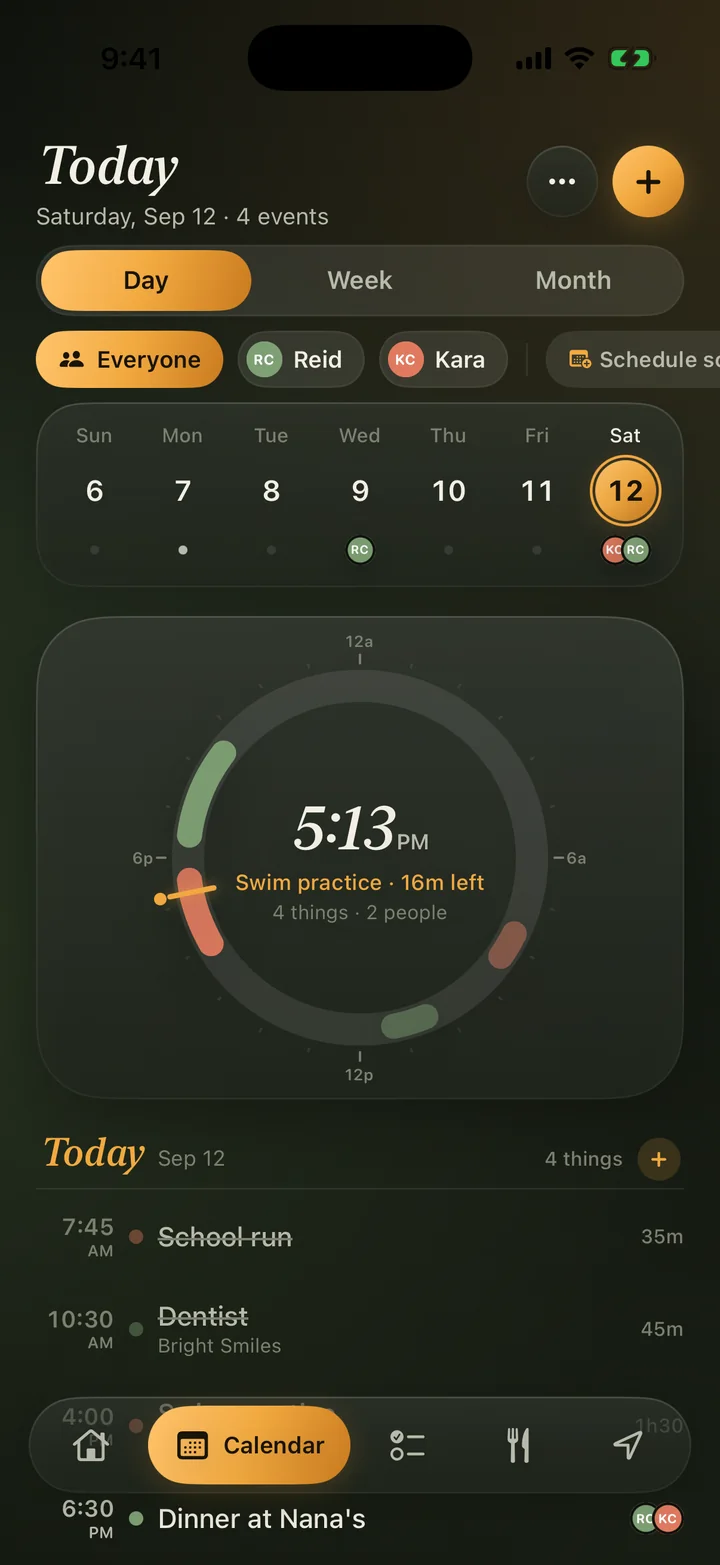
  • Calendar day view with a 24-hour ring and agenda
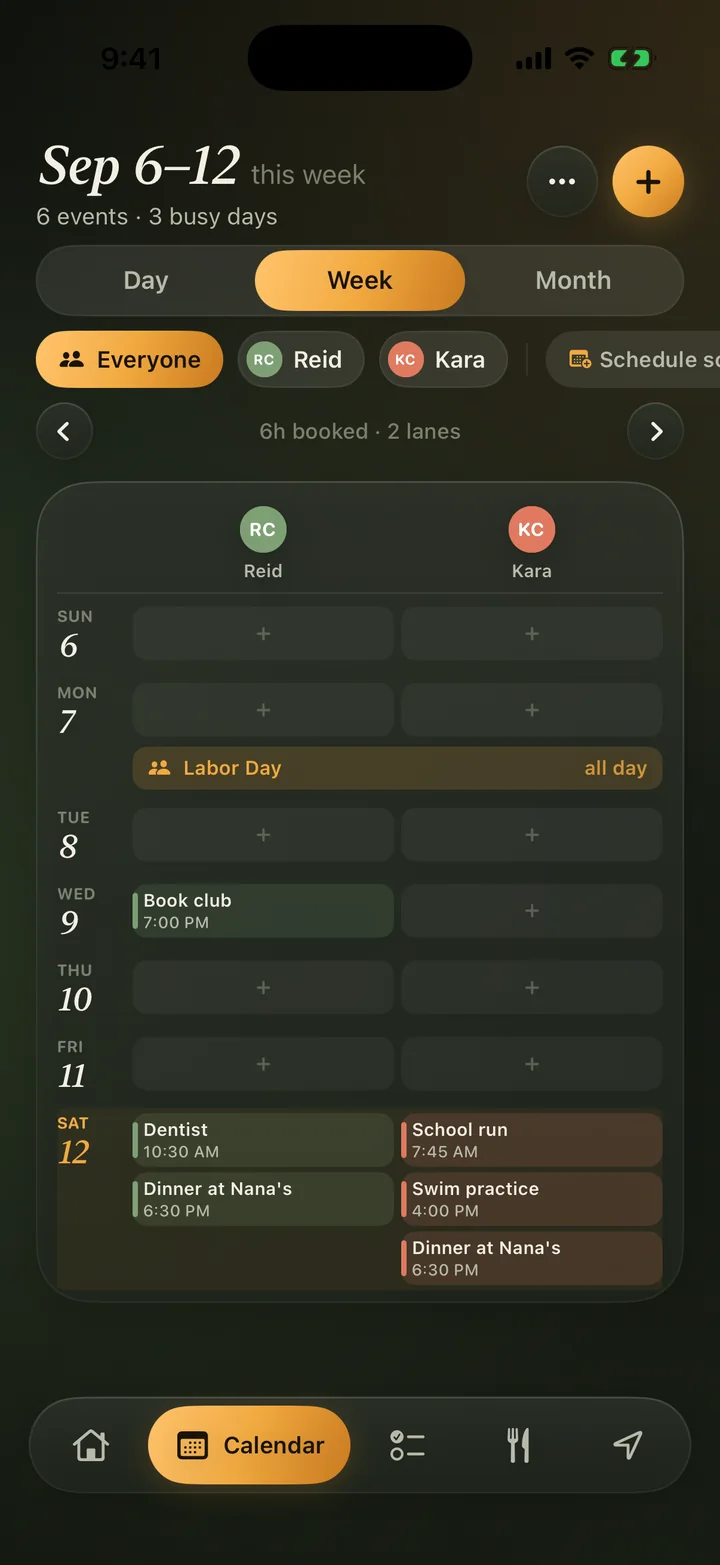
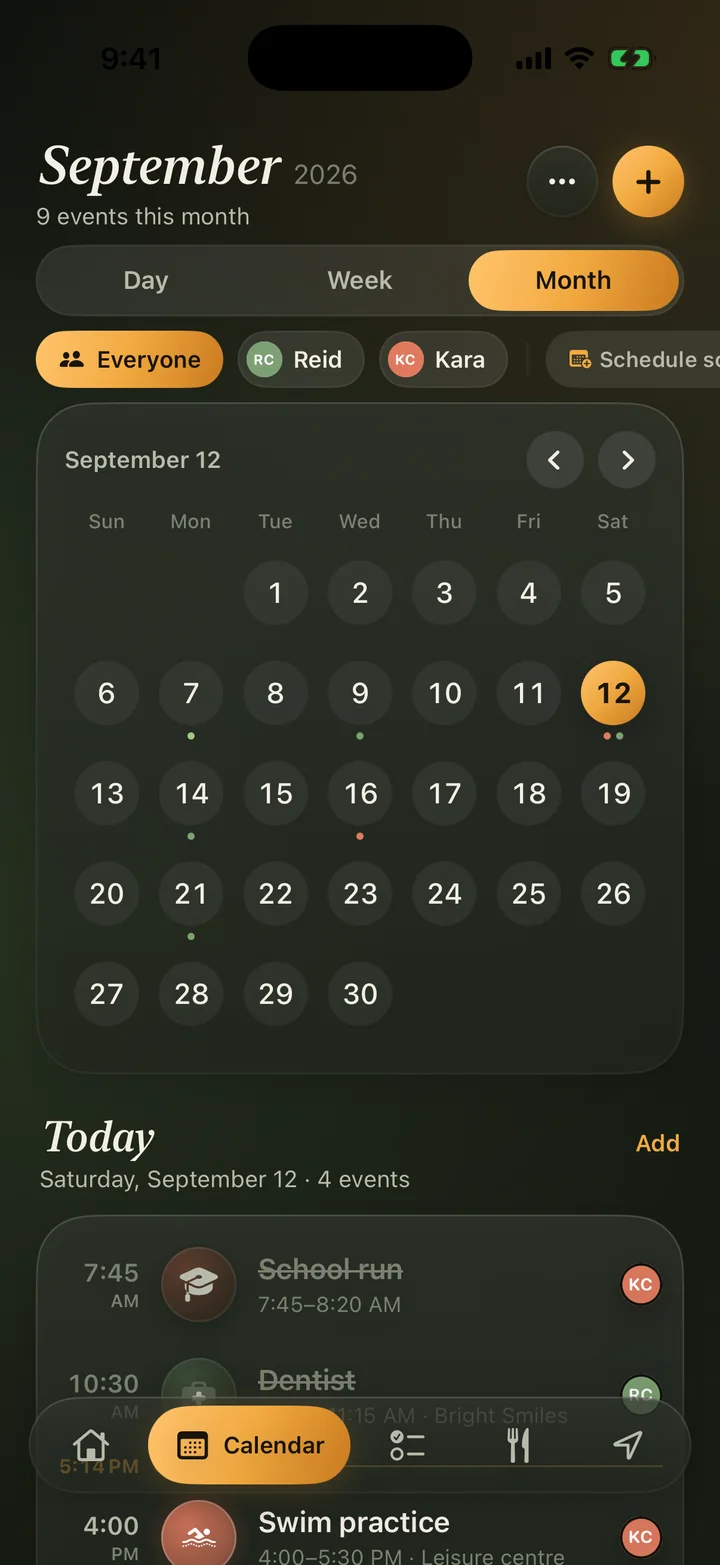
    Calendar

    Everyone at a glance, or filter to one person. Day, week, and month.

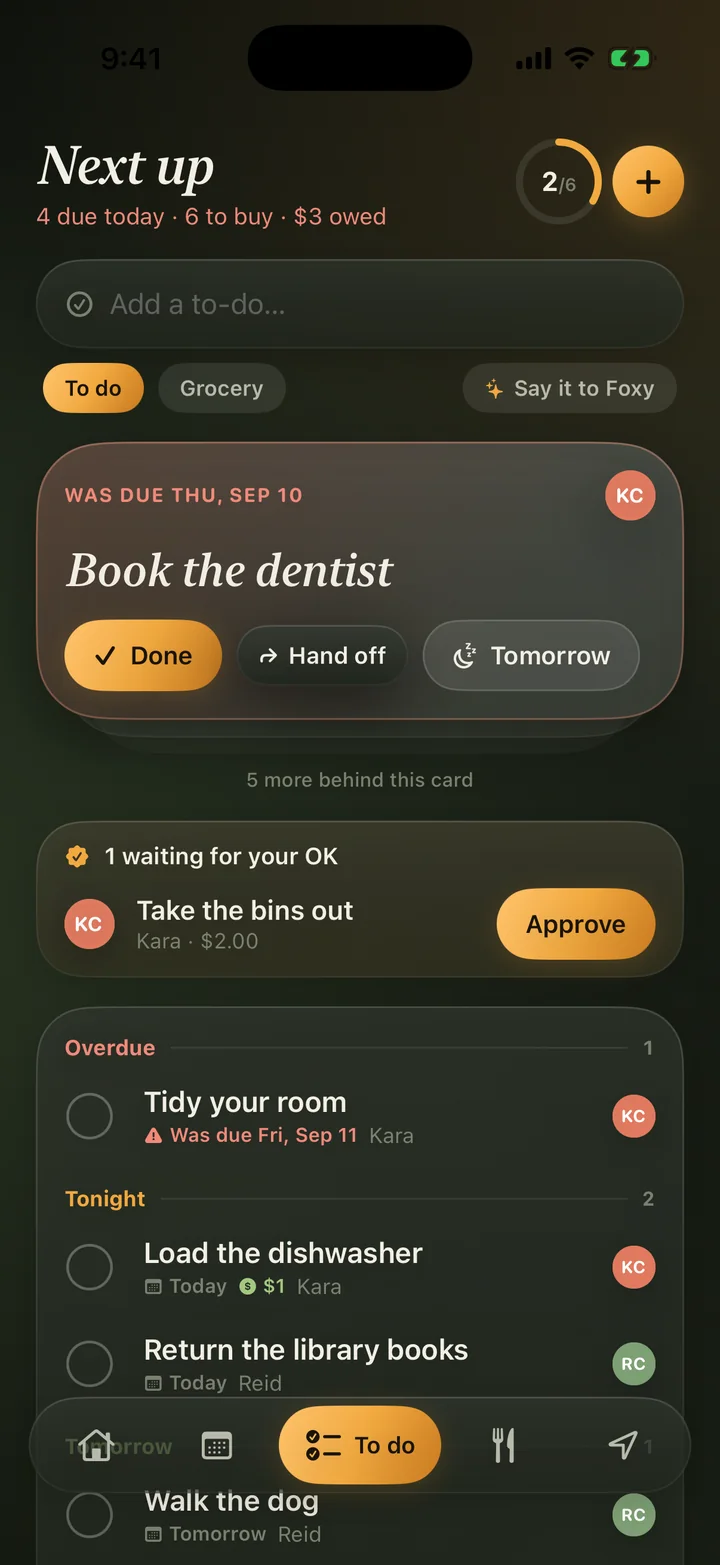
  • To do screen with a next-up card, chores awaiting approval, and overdue tasks
    To do and chores

    Swipe right to finish, left for tomorrow. Kids earn rewards for chores.

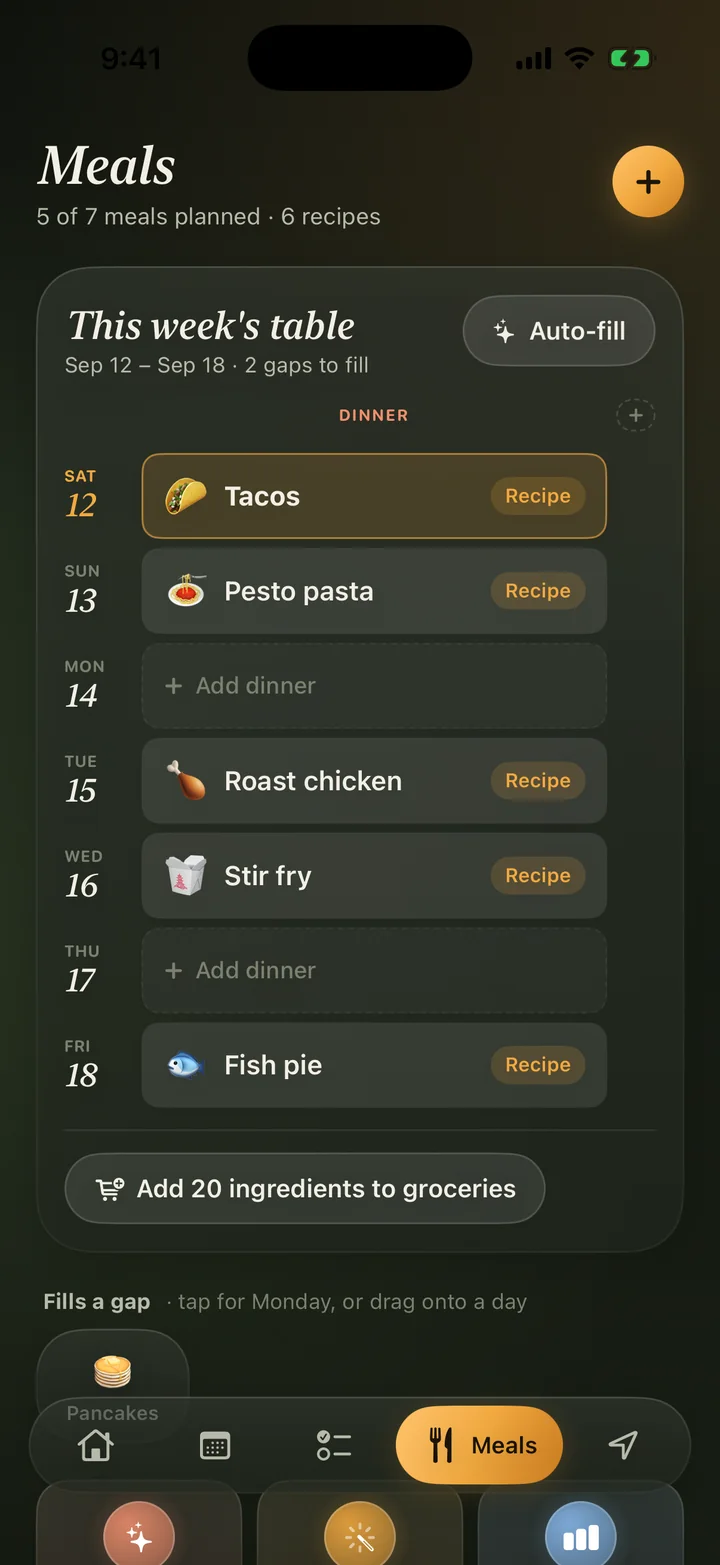
  • Meals screen showing this week's dinners and recipes
    Meals

    A week of dinners, planned around what your family likes. Ingredients go straight to the grocery list.

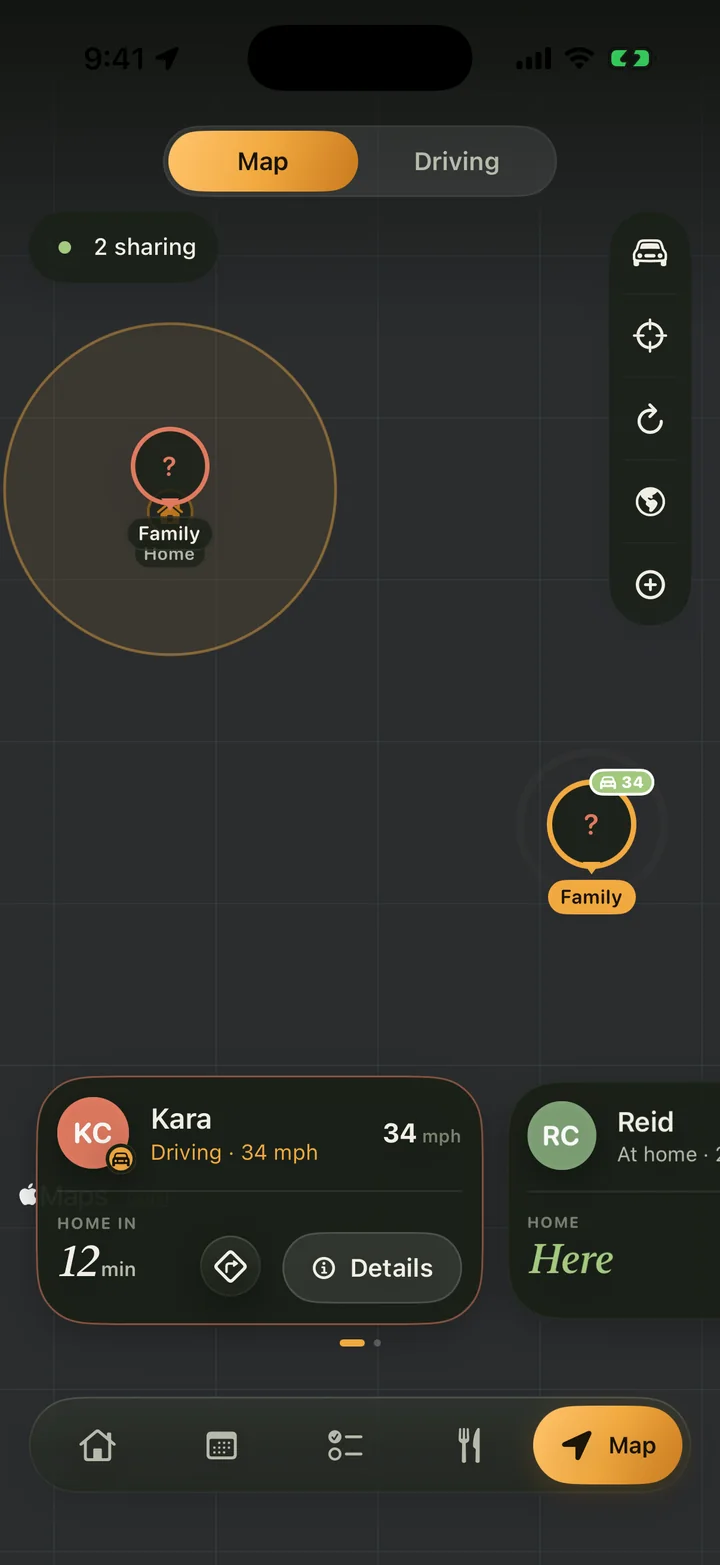
  • Family map showing who is home and who is driving
    Family map

    Who's home, who's driving, and how long until they're back.

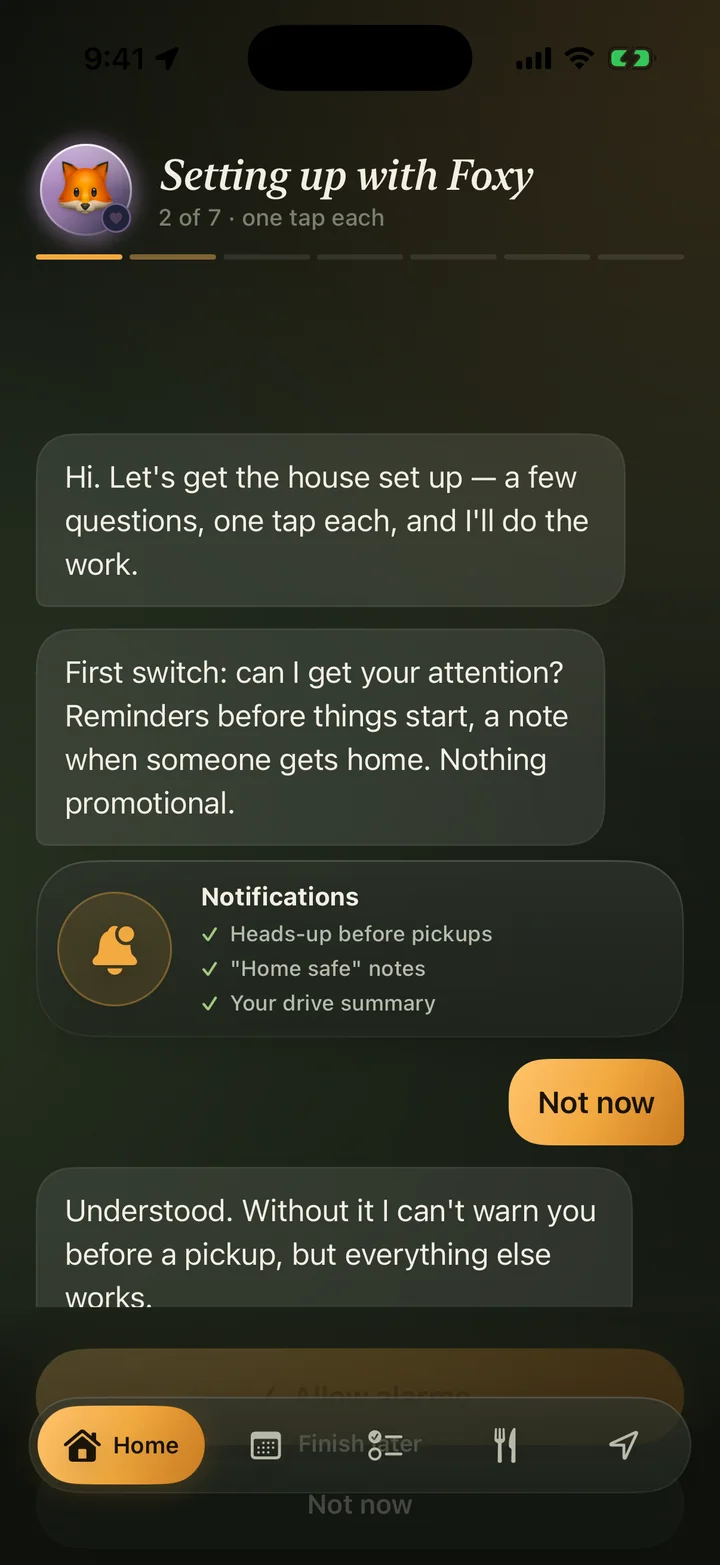
  • Setting up with Foxy, a guided chat that configures the app
    Foxy sets it up

    A few questions, one tap each. Foxy does the rest.

Scroll sideways to see more

Banners get swiped away. A call gets answered.

Tell one person or the whole family something and it lands on their phone as a banner they'll actually see. For the things that matter, FamSync rings them like a real call. From the lock screen, even on silent, even with the app closed.

  • Leave for practice.
  • Come home.
  • Dinner's ready.
  • Don't forget the permission slip.
  • Send it now, or schedule itSet it for 3:40 and get on with your day.
  • Reminder Calls for eventsChoose which events call you: only the ones you mark, the big ones, or everything.
  • Hold to talkSay it in your own voice and it plays when they pick up.

See the whole family at a glance.

Every person gets a color. Filter to one of them or see everyone. Add events, reminders, and notes, and never miss a pickup, practice, or appointment again.

  • Repeats that work the way you'd expectEvery Tuesday and Thursday. Every other week. The first Monday of the month. A whole season in one go. Change one date or the whole series.
  • Apple Calendar and Google Calendar, both waysEach calendar has its own switch. Disconnecting removes everything it brought in.
  • Snap a photo of the paper flyerTeam schedule, school calendar, birthday invitation. Foxy adds every date for you.
Week view with a lane for each family member
Month view with colored dots for each person's events

Type it the way you'd say it.

Foxy is your family's assistant. It knows the calendar, the lists, and who's where, so it can actually do the thing, not just talk about it. Foxy sets it up and waits for your approval before anything is saved.

  • Tell Kara to leave now.
  • Post on the board that the wifi password changed.
  • Ask everyone whether we want tacos or pasta.
  • What's for dinner this week?
🦊
FoxyOnline
Got it. Here's what I've prepared. Add it, or change anything first.
Soccer practice Tuesdays, 4:00 to 5:00 PM, Sept 15 through June 9 Mason, Pleasant Park, 14 min drive
Add to calendarEdit
Message Foxy

Know who's home, and how the drive went.

See everyone in real time. Draw a circle around school, practice, or grandma's and get a note when someone arrives or leaves.

  • Every drive, logged on its ownRoute, distance, top speed, and how many times the phone was picked up while the car was moving. A summary arrives when you park.
  • Teen drivers includedParents get the same summary for new drivers, without asking.
  • Private to your familyLocation is optional, per person, and only ever shared inside your family group.
Family map with member cards showing who is driving and who is home

Chores that get done.

Assign chores, set due dates, and track completion. Kids earn rewards for finished tasks, and you approve with one tap. The whole family sees what's done and what's left.
Dinner, decided.

Foxy builds a weekly meal plan around your family's tastes. Import recipes from photos, websites, or a picture of your fridge. The shared grocery list updates as you plan.

Free for four. Premium for the whole tree.

Start free. Add grandparents, co-parents, and a blended family on one calendar when you're ready.

Free

Up to 4 family members

$0forever
  • Shared family calendar with a color per person
  • Chores, to dos, and the shared grocery list
  • Family board and event comments
  • Foxy, with a daily limit on conversations
Download free

No ads. Ever. Not in Free, not in Premium.

Premium

Up to 8 family members

$5.99a month, after a 7-day free trial
$49.99a year, after a 14-day free trial. Saves 30%.
  • Remind anyone, by banner or by call
  • Reminder Calls for events
  • Unlimited Foxy conversations and the Morning Digest
  • Apple and Google Calendar sync, and calendar scanning from photos
  • Family Map, drive summaries, and place alerts
  • Meal planner and recipe import
Start the free trial

Billed through your Apple ID. Cancel any time in Settings; you keep Premium until the period ends.

Questions, answered.

How do I invite my family?
Create your family and you get a short code. Send it, and whoever enters it joins with the shared calendar, lists, and map already set up. You can also show a QR code from the Home tab.
Does it work with the calendars we already use?
Yes. Connect Apple Calendar and Google Calendar and events flow both ways. Each connected calendar has its own switch, and disconnecting one removes everything it brought in.
How do Reminder Calls ring on silent?
FamSync uses the same alarm and call mechanisms iPhone reserves for things that can't be missed. You choose who can call you and which events call, and you can turn it off per person at any time.
Is location sharing required?
No. Location is optional and per person. When it's on, it's only visible to your family group. Turn it off from your profile and the map simply stops showing you.
What does Foxy do with our data?
Foxy reads your family's calendar, lists, and locations to answer you, and sends the conversation to our AI provider for processing. That provider doesn't keep it. Nothing Foxy prepares is saved until you approve it. Details are in the privacy policy.
How do I cancel Premium?
Subscriptions are billed through Apple. Open Settings on your iPhone, tap your name, then Subscriptions, and cancel FamSync there. You keep Premium until the end of the period you paid for.
Which devices are supported?
iPhone running iOS 17 or later. Every family member needs the app for shared features, and the free plan covers four people.

Get your household on the same page.

Free for up to four people. Set up in a few minutes with Foxy.

Download free on the App Store